
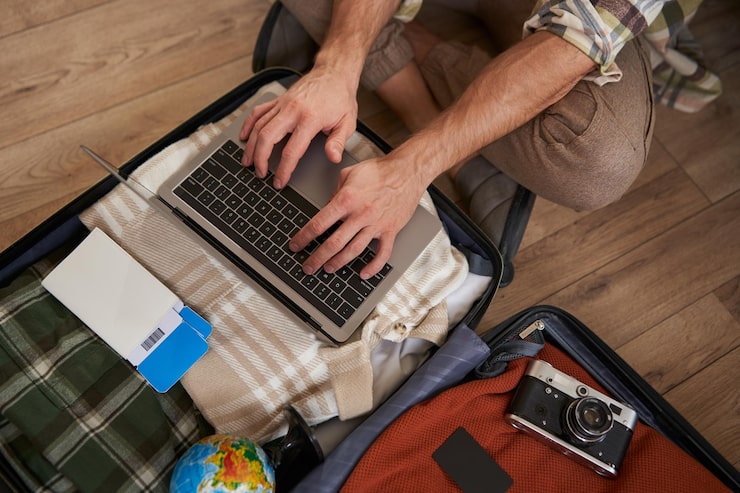
Travelers often wonder whether putting a laptop in checked luggage is allowed when flying. In the United States, the Federal Aviation Administration recommends carrying laptops and other lithium-battery-powered devices in carry-on baggage because cabin crews can respond more quickly if a lithium battery overheats or catches fire. A laptop may be placed in checked baggage under certain conditions, but it must be completely powered off and protected from accidental activation and damage. Airlines can also impose stricter requirements than the general regulations.
Knowing the rules before arriving at the airport can help travelers avoid delays, protect expensive electronics, and reduce battery-related safety risks.
Can You Put a Laptop in Checked Baggage?
In the United States, a laptop containing a lithium-ion battery can generally be transported in checked baggage if it meets applicable battery restrictions and is completely powered off. It must also be protected against accidental activation and physical damage.
However, the FAA recommends carrying laptops in the cabin whenever possible. The reason is primarily safety: lithium-ion batteries can experience thermal runaway, which can cause overheating, smoke, or fire. A problem involving a device in the passenger cabin can be detected and addressed more quickly than one located in the aircraft’s cargo compartment.
Therefore, allowed does not necessarily mean recommended.
Carry-On vs. Checked Baggage
| Factor | Carry-On | Checked Baggage |
|---|---|---|
| Laptop with installed battery | Recommended | Permitted under conditions |
| Device accessibility | Easy to access | Not accessible during flight |
| Battery fire response | Easier for crew to identify | More difficult to detect and manage |
| Risk of physical damage | Generally lower | Higher |
| Risk of theft or loss | Generally lower | Higher |
| FAA recommendation | Preferred | Only when necessary and properly packed |
Why Are Laptops Recommended in Carry-On Bags?
Most modern laptops use lithium-ion batteries. These batteries are lightweight and provide substantial energy, but they can become hazardous if damaged, overheated, defective, or improperly handled.
The FAA explains that lithium-ion batteries can undergo thermal runaway. This process can happen because of damage, overheating, water exposure, overcharging, improper protection, or certain manufacturing defects.
Keeping a laptop in the cabin provides an important safety advantage.
If a device begins to:
- Smoke
- Expand
- Overheat
- Produce an unusual smell
- Burn
the passenger or cabin crew can identify the problem and take action.
This is much more difficult when the device is inside checked baggage in the aircraft’s cargo compartment.
What Happens if a Laptop Must Be Checked?
Sometimes passengers cannot keep their laptop with them.
For example, an airline may require a larger carry-on bag to be checked at the gate because of limited cabin space.
If this happens, passengers should remove their laptop and other lithium-battery-powered electronics when possible and keep them in the cabin. The FAA specifically advises passengers to remove spare batteries and lithium-battery-powered devices when a carry-on bag is checked at the gate or planeside.
If a laptop must genuinely travel in checked baggage, it should be:
- Completely powered off.
- Protected against accidental activation.
- Protected from physical damage.
- Packed securely so it cannot move excessively.
- Within applicable battery watt-hour restrictions.
- Packed according to the airline’s specific rules.
Sleep mode is not the same as completely powering off the computer.
Do Not Leave Your Laptop in Sleep Mode
One common mistake is placing a laptop in checked baggage while it is in sleep mode.
Sleep mode does not necessarily mean the computer is completely powered down. The device may continue consuming battery power or potentially activate under certain circumstances.
The FAA guidance specifically says portable electronic devices placed in checked baggage must be completely powered off rather than left in a mode that allows operation.
Before packing a laptop, shut it down completely.
Then wait a moment and make sure the screen is off and the device is no longer operating.
How to Pack a Laptop Safely
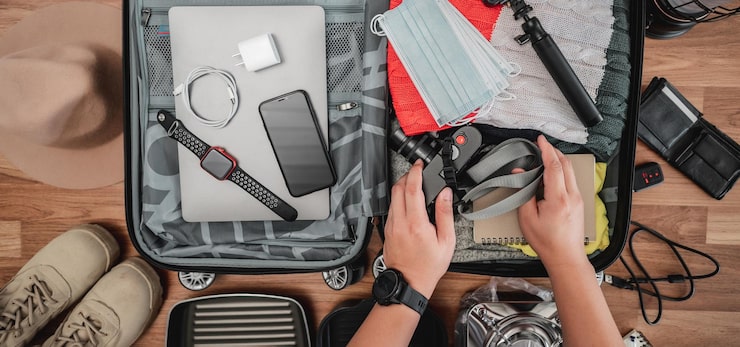
If checking a laptop cannot be avoided, careful packing is important.
Use a Protective Sleeve
Place the laptop inside a padded sleeve before putting it into the suitcase.
A sleeve can protect the device from scratches, pressure, and minor impacts.
Position It Between Soft Items
Place the protected laptop between clothing or other soft materials.
Avoid placing heavy objects directly on top of it.
Prevent Movement
A laptop that moves around inside a suitcase is more likely to experience impact damage.
Use clothing or packing material to prevent excessive movement.
Protect the Screen
Do not place shoes, books, toiletry bags, or other hard objects directly against the laptop display.
The screen is one of the more vulnerable components.
Keep It Powered Off
Completely shut down the laptop before closing the suitcase.
Do not rely only on sleep mode.
What About Laptop Chargers?
A laptop charger is different from the laptop’s built-in battery.
The charger itself does not usually contain the same large lithium battery that creates the primary baggage concern. Standard charging cables and wall adapters can generally be packed with other personal belongings, subject to airline rules.
However, travelers should distinguish a charger from a power bank.
A traditional laptop charger:
- Connects to an electrical outlet.
- Usually contains no large rechargeable battery.
- Can generally travel in carry-on or checked baggage.
A power bank:
- Contains a rechargeable lithium battery.
- Is treated differently under air-travel battery rules.
- Must remain in carry-on baggage under FAA rules.
Can You Put a Laptop Power Bank in Checked Luggage?
No. Spare lithium batteries and power banks must not be packed in checked baggage under FAA passenger-baggage rules.
They must remain with the passenger in the aircraft cabin.
This distinction is particularly important for people traveling with laptops.
A traveler may have:
- Laptop
- Laptop charger
- USB cable
- Power bank
- Spare laptop battery
These items do not necessarily have the same baggage requirements.
| Item | Carry-On | Checked Baggage |
|---|---|---|
| Laptop with installed battery | Yes | Yes, under conditions |
| Laptop charger | Yes | Generally allowed |
| Charging cable | Yes | Generally allowed |
| Power bank | Yes | No |
| Spare lithium laptop battery | Yes | No |
| Damaged lithium battery | No | No |
Airlines may impose additional restrictions, so passengers should check their carrier’s rules before traveling.
What Is the 100 Wh Battery Rule?
Lithium-ion batteries are commonly regulated according to watt-hours, abbreviated as Wh.
The FAA states that rechargeable lithium batteries with a capacity of 0 to 100 Wh are generally allowed on passenger aircraft. Batteries between 101 and 160 Wh may require airline approval, while batteries exceeding 160 Wh are prohibited for passenger-aircraft use under these rules.
Most ordinary consumer laptops fall within the commonly permitted range, but travelers should check the battery rating when uncertain.
How to Calculate Watt-Hours
If the battery label provides volts and amp-hours, watt-hours can be calculated using:
Wh = Volts × Amp-hours
For example, a battery rated at 15 volts and 5 amp-hours would have:
15 × 5 = 75 Wh
If the battery label provides milliamp-hours, convert milliamp-hours to amp-hours first.
For example:
5,000 mAh ÷ 1,000 = 5 Ah
Then multiply by voltage.
What About Spare Laptop Batteries?
A spare or replacement lithium battery is different from a battery installed inside a laptop.
Spare lithium batteries must be carried in carry-on baggage and cannot be placed in checked luggage. Their terminals must also be protected against short circuits.
Suitable protection can include:
- Original retail packaging
- Battery cases
- Protective pouches
- Covering exposed terminals
- Individual protective bags
The goal is to prevent the battery terminals from contacting metal objects and creating a short circuit.
What If Your Laptop Battery Is Damaged?
A damaged, defective, or recalled lithium battery presents a different safety concern.
The FAA states that damaged or recalled batteries and battery-powered devices that could create sparks or dangerous heat should not be carried aboard an aircraft unless the battery has been removed or otherwise made safe.
Warning signs may include:
- Swollen battery
- Cracked battery
- Unusual heat
- Smoke
- Burning smell
- Physical damage
- Battery leakage
- Unexpected shutdowns associated with swelling or heat
Do not simply place a damaged laptop in a suitcase and hope it will be acceptable at the airport.
Protecting Your Laptop From Physical Damage
Fire safety is not the only reason to avoid checking a laptop.
Checked baggage can experience:
- Rough handling
- Compression
- Drops
- Impact
- Temperature changes
- Pressure from other luggage
- Delays
- Loss or misrouting
A laptop is a relatively fragile and expensive electronic device.
Even if baggage rules permit the device, carrying it with you is usually a better way to protect the computer.
Protecting Your Data While Traveling
Physical protection is only one part of laptop travel safety.
Travelers should also protect important data.
Before a flight, consider:
- Backing up important files
- Enabling device encryption
- Using a strong password
- Enabling automatic security updates
- Activating device tracking
- Removing unnecessary sensitive files
- Keeping recovery information secure
If checked baggage is delayed or lost, having a current backup can prevent a major disruption.
What Should You Do at Airport Security?
Security screening procedures can vary by airport, country, and security authority.
Passengers should follow instructions from airport security personnel.
Depending on the airport and screening technology, you may be asked to remove a laptop from your bag during screening.
The important point is to keep the computer accessible and packed in a way that allows easy removal when required.
A dedicated laptop compartment can make this process much easier.
What If Your Carry-On Is Gate-Checked?
This situation deserves special attention.
You may arrive at the gate with a carry-on bag containing your laptop, only to be told that the bag must be placed in the aircraft’s cargo hold.
If that happens, remove:
- Laptop
- Power bank
- Spare lithium batteries
- Other valuable electronics
The FAA specifically advises removing lithium-battery-powered devices and spare batteries when a carry-on bag is checked at the gate or planeside.
Keeping these items with you also reduces the chance of loss or damage.
Common Mistakes to Avoid
Packing a Laptop Without Turning It Off
Always shut it down completely before checking it.
Putting a Power Bank in Checked Baggage
Power banks contain spare lithium batteries and must remain in carry-on baggage.
Leaving a Damaged Laptop Battery in Your Bag
Damaged or recalled lithium batteries can create serious safety concerns and should not simply be packed for a flight.
Ignoring Airline Rules
Federal rules provide a baseline, but individual airlines may apply stricter requirements.
Packing the Laptop Under Heavy Objects
Even if the battery is safe, physical pressure can damage the screen, hinges, keyboard, or internal components.
Forgetting About Data Security
A lost suitcase can mean more than a damaged computer. Sensitive business or personal information can also be exposed.
A Simple Pre-Flight Laptop Checklist
Before leaving for the airport, check the following:
- Laptop completely powered off
- Laptop battery is not damaged or swollen
- Important files backed up
- Laptop protected with a padded sleeve
- Charger packed securely
- Power bank kept in carry-on baggage
- Spare batteries kept in carry-on baggage
- Airline battery rules checked
- Laptop accessible if the carry-on must be inspected
- Security software and device tracking enabled
This simple checklist can reduce many common travel problems.
Key Points to Remember
- The FAA recommends carrying laptops in the cabin rather than checked baggage.
- A laptop with an installed lithium battery can generally be checked under specified conditions.
- A checked laptop must be completely powered off.
- The device must be protected against accidental activation and physical damage.
- Power banks and spare lithium batteries cannot be placed in checked baggage.
- Most consumer lithium-ion batteries are within the common 100 Wh limit, but travelers should verify battery ratings when necessary.
- Batteries between 101 and 160 Wh can require airline approval.
- Lithium batteries exceeding 160 Wh are not permitted on passenger aircraft under the applicable FAA rules.
- Damaged or recalled lithium batteries can create serious safety concerns.
- Airlines may impose stricter rules than general regulations.
- Carrying an expensive laptop in the cabin can also reduce the risk of damage, theft, or loss.
Final Thoughts
Travelers can sometimes place a laptop in checked baggage, but carrying it in the cabin is the safer and generally preferred option. The FAA recommends that laptops and other lithium-battery-powered devices remain in carry-on baggage because a battery-related incident can be identified and addressed more easily inside the cabin.
If checking a laptop is unavoidable, completely power it off and protect it against accidental activation and physical damage. Never put spare lithium batteries or power banks in checked luggage.
Finally, remember that airline policies can be stricter than general aviation regulations. Checking the requirements of your specific airline before departure is an important final step.
FAQs
1. Is it safe to put a laptop in checked luggage?
It is generally safer to keep a laptop in carry-on baggage. If it must be checked, it should be completely powered off and protected from accidental activation and physical damage.
2. Can I put my laptop charger in checked baggage?
A standard laptop charger and charging cable can generally be packed in checked baggage, although airline-specific rules should always be checked.
3. Can I put a laptop power bank in checked luggage?
No. Spare lithium batteries and power banks must be carried in the cabin rather than placed in checked baggage.
4. What happens if my carry-on containing a laptop is gate-checked?
If possible, remove your laptop, power banks, and spare lithium batteries before the bag is placed in the aircraft’s cargo hold. The FAA recommends keeping lithium-battery-powered devices and spare batteries in the cabin.
5. What is the safest way to travel with a laptop on a plane?
Keep the laptop in your carry-on bag, protect it in a padded compartment or sleeve, keep it accessible during security screening, and make sure the battery is not damaged or defective.